| Name |
Nachricht |
Gazz292

Siedler
9 Beiträge
|
Battery died, 14 Oct. 2023 17:41
|
I left my Ibis unit in storage for a few years, today i powered it back up and the screen shows this:
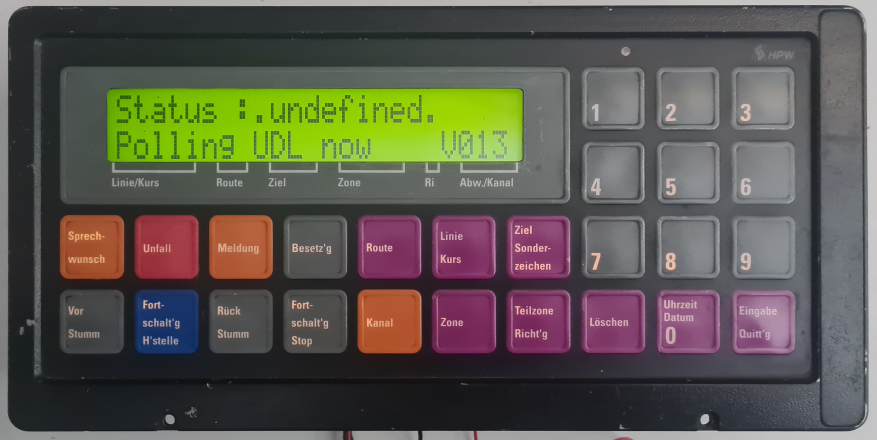
I presume the internal battery died,
Is there any way to save this? or is the data on it gone, it was loaded with Berlin data,
This is the only piece of IBIS equipment i own, the plan was to use it with Omsi,
But i am not sure if anyone has arduino code to use the LCD from it,
as it is not a standard 2 line LCD, the last 4 blocks are a single square that shows graphics i believe,
Geändert von Gazz292 am 14.Oct.2023 17:44
|
|
| |
Beitragsbewertung:
|
GreenBird


Gelehrter
176 Beiträge
|
RE: Battery died, 15 Oct. 2023 12:42
|
Hello,
the data is stored on the piggyback board on sich Eeproms .
You can easily replace the battery. The data is not lost. Later you have to set the device to charged Status (Status geladen). You musst use the internal RS232 and Putty. Putty is a serial Terminal Programm, which you can Reset the HIS MAS-3 Master. On the picture you can see the Internal RS232-Interface (I marked it purple)

If necessary, I have a backup of the Berlin Eproms on the PC. I could send this to you if your data is gone. But normally, your data isnt lost!
Greetings from Germany! Sorry for bad English. I used Google Translater. ^^
Daniel S.
Geändert von GreenBird am 15.Oct.2023 13:45
|
|
| |
Beitragsbewertung:

|
Gazz292
Siedler
9 Beiträge
|
RE: Battery died, 15 Oct. 2023 18:18
|
Thankyou very much for telling me this,
google translator worked well.
i‘m not very good with computer programming, but i‘ll see if i can get my Ibis unit connected to the computer and talk to it after replacing the battery,
I tried charging it in circuit, got it to hold 3.6 volts for a short while, and when the Ibis was powered it was rising to 3.8 volts, so charging from the device,
but this morning it was reading 0.2 volts, so it needs replacing.
:
I don‘t really want to have to gut this one to put in an arduino so it will work with omsi, as it‘s a piece of history (my battery has a date of 1993 too, so i assume it was made then, that‘d be 3 years after i left Germany aged 13 (dad was in the RAF)
i wish there was an easy way to connect the Ibis to omsi via a program so it talks to the simulator, but i believe the best i could do is re-write the memory with the .hof file from omsi each time i start a new map, but i don‘t know if omsi can talk to the Ibis or recieve the button inputs.
So i am on the lookout for someone selling a non working ibis mas 2, as long as the LCD, keypad and buttons are there that‘s all i need,
|
|
| |
Beitragsbewertung:
|
GreenBird
Gelehrter
176 Beiträge
|
RE: Battery died, 15 Oct. 2023 19:15
|
Here you can find some informations about Putty.
Putty - Polling UDL NOW
The interface is in a different position at the MAS-3. The pin assignment is the same for the MAS-2.
It‘s very important that you use the internal interace at the MAS-2!
From the internal RS232 Interface from MAS-2 to the RS232-Interace at the computer is the pin assignment:
Pin 1 (MAS-2) connect to Pin 2 on RS232 computer
Pin 2 (MAS-2) connect to Pin 3 on RS232 computer
Pin 5 (MAS-2) connect to Pin 5 on RS232 Computer
It‘s difficult for me to explain that in english.
At the beginning of this post; i have linked an German Posting; where you can find some informations to use Putty on MAS-2/MAS-3. The Informations are only for MAS-3; but this works on MAS-2 too!
Translate this on english, I think this will help you!
Another Possibility is that you send the MAS-2 to me to Germany and I will reset the HIS. Unfortunately I can‘t convert this for OMSI.
Geändert von GreenBird am 15.Oct.2023 19:20
|
|
| |
Beitragsbewertung:
|
Gazz292
Siedler
9 Beiträge
|
RE: Battery died, 04 Nov. 2023 21:57
|
Does anyone know where i can buy the correct battery from?
I thought i‘d found them on amazon (uk) but they sent me ‘non rechargeable‘ lithium batteries,
|
|
| |
Beitragsbewertung:
|
GreenBird
Gelehrter
176 Beiträge
|
RE: Battery died, 05 Nov. 2023 07:35
|
Aren‘t the old batteries also not rechargeable?
The Toshiba lithium batteries with 3.6V were always installed in my MAS-2 and MAS-3 devices. The batteries said Do not Recharge!
So I bought a 3,6V Lithium Batterie; which is also Not Rechargable. Example: Saft 3,6V 1200mAh
|
|
| |
Beitragsbewertung:
|
Gazz292
Siedler
9 Beiträge
|
RE: Battery died, 05 Nov. 2023 21:09
|
oh i am an idiot,
Just been and checked, and yes, the old battery says ‘do not recharge‘ on it,
I couldn‘t read that bit until i cut it off the circuit board.
I am sure i measured the voltage rising when i had the Ibis powered up,
Mind, i had also ‘forced in a charge‘ using my power supply set to 4.2 volts and 100 milliamps, so i may have been starting a thermal runaway situation.
That‘ll teach me not to assume that all lithium batteries are rechargeable.
Tomorrow i can solder one of the new batteries in, then have a play with communicating with the unit to tell it that a new battery has been fitted.
I have a USB to DB9 serial port adapter cable somewhere that will hopefully do the job.
|
|
| |
Beitragsbewertung:
|
Gazz292
Siedler
9 Beiträge
|
RE: Battery died, 09 Nov. 2023 19:20
|
So, i have replaced the battery,
Now i need to tell my Ibis unit that the battery has been replaced i believe,
i have found my USB to RS232 adaptor cable (a Ugreen branded one that worked back in about 2017 to connect a laptop to my car and add features to the ECU‘s)
But on plugging it in, i got an error in device manager :
(PL2303TA DO NOT SUPPORT WINDOWS 11 OR LATER, PLEASE CONTACT YOUR SUPPLIER)
Googled that sentence and found an updated driver for it and i can now see the USB to RS232 adaptor in Device Manager... But i can‘t be sure this will make my adapter work.
So i may buy another one... any suggestions for a USB to RS232 adaptor that works ?
I connected 3 jumper wires from the Ibis to the DB9 connector,
Pin 1 on the ibis‘s RS232 port to pin 2 of the DB9 connector
Pin 2 on the Ibis‘s RS232 port to pin 3 of the DB9 connector
Pin 5 on the Ibis‘s RS232 port to pin 5 of the DB9 connector.
Started putty,
settings:
Speed: 9600
Data Bits: 8
Stop Bits: 1
Parity: None
Flow control: XONXOFF
i start putty before powering up the Ibis, and all i get is :
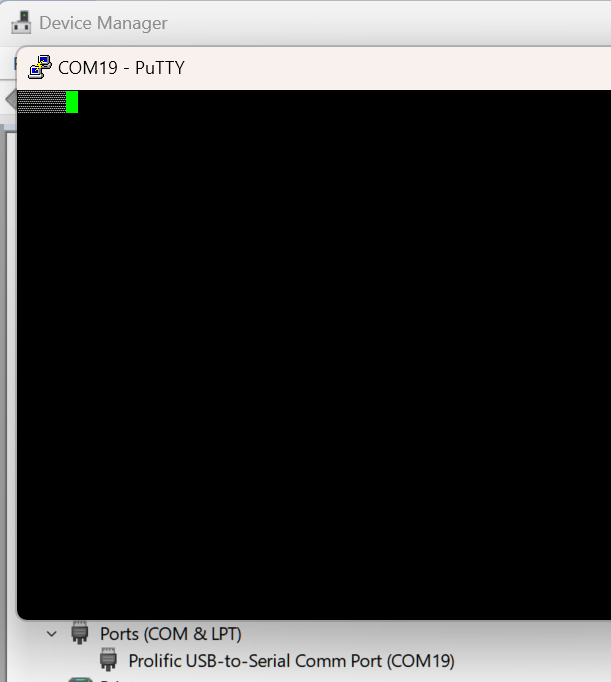
picture shows the putty terminal window, and fuzzy blocks being shown.
I have tried putting ibis pin 1 to DB9 pin 3 and Ibis pin 2 to DB9 pin 2 as someone else suggested, but i get nothing at all that way (which i believe is connecting RX to RX and TX to TX)
Any ideas what i am doing wrong?
Geändert von Gazz292 am 9.Nov.2023 20:19
|
|
| |
Beitragsbewertung:
|
GreenBird
Gelehrter
176 Beiträge
|
RE: Battery died, 09 Nov. 2023 20:50
|
That is my USB to RS232 Adapter.
It works fine with Putty.
https://www.reichelt.de/de/de/usb-2-0-konverter-a-stecker-db9-buchse-seriell-1-m-st-icusb232ftn-p222686.html
1. You Must connect the RS232 Adapter with MAS-2
2. Open Putty; Click on Serial and set the correct COM Port
3. Click on Connect
4. Connect 24V DC to MAS-2
5. Putty opens the MAS-3 Helpmonitor
6. At First get in TG; press Enter. Than TR; press Enter
The HIS restarts. Now it should be work.
Geändert von GreenBird am 9.Nov.2023 20:50
|
|
| |
Beitragsbewertung:
|
Gazz292
Siedler
9 Beiträge
|
RE: Battery died, 09 Nov. 2023 21:33
|
I just noticed i should have ‘flow control‘ set to off, rather than XON/XOFF, but changing that makes no difference.
i notice that before i power the MAS-2 up, i get a loopback in the putty window, i.e. anything i type and press enter is returned to me,
When i apply power this no longer happens (i am also no longer getting anything at all in the window)
Am i applying power correctly i wonder...
I connect:
+ 24 V to pin 13,
- (ground) to pin 12,
- (ground) to pin 11.
I remember applying ground to pin 11 turns the unit on, but i have tried it without that connection, and the unit powers up... but obviously in the ‘polling UDL‘ state.
i also recall grounding pin 8 puts the unit in test mode... again that does not work due to the ‘Polling UDL‘ state it is stuck in.
:
i will order one of the USB to RS232 adaptors you mention and try again tomorrow when it arrives.
|
|
| |
Beitragsbewertung:
|
GreenBird
Gelehrter
176 Beiträge
|
RE: Battery died, 10 Nov. 2023 06:06
|
MAS-2/MAS-3:
Pin 13/25: 24V+
Pin 12/24: Ground
Pin 11: Ground (TEIN-Signal)
Connect Pin 25 to 24V+ too.
Possibly it works.
|
|
| |
Beitragsbewertung:
|
Gazz292
Siedler
9 Beiträge
|

|
RE: Battery died, 10 Nov. 2023 20:20
|
|
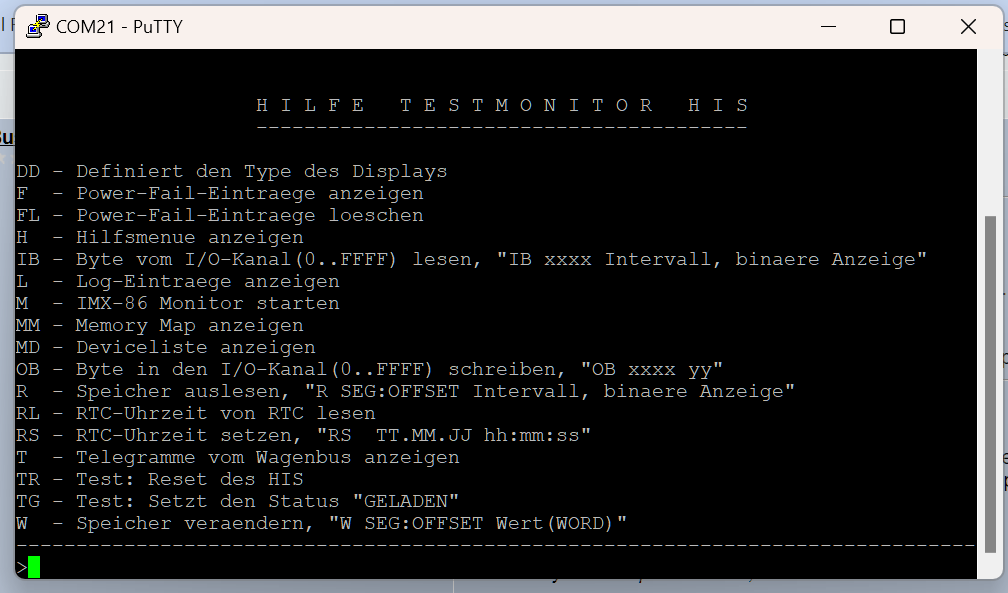
Woooooot :D
The com port pins are the other way round on my ibis,
Pin 1 Ibis = GND >> Pin 5 (GND) RS232
Pin 4 Ibis = TX >> Pin 3 (RX) RS232
Pin 5 Ibis = RX >> Pin 2 (TX) RS232
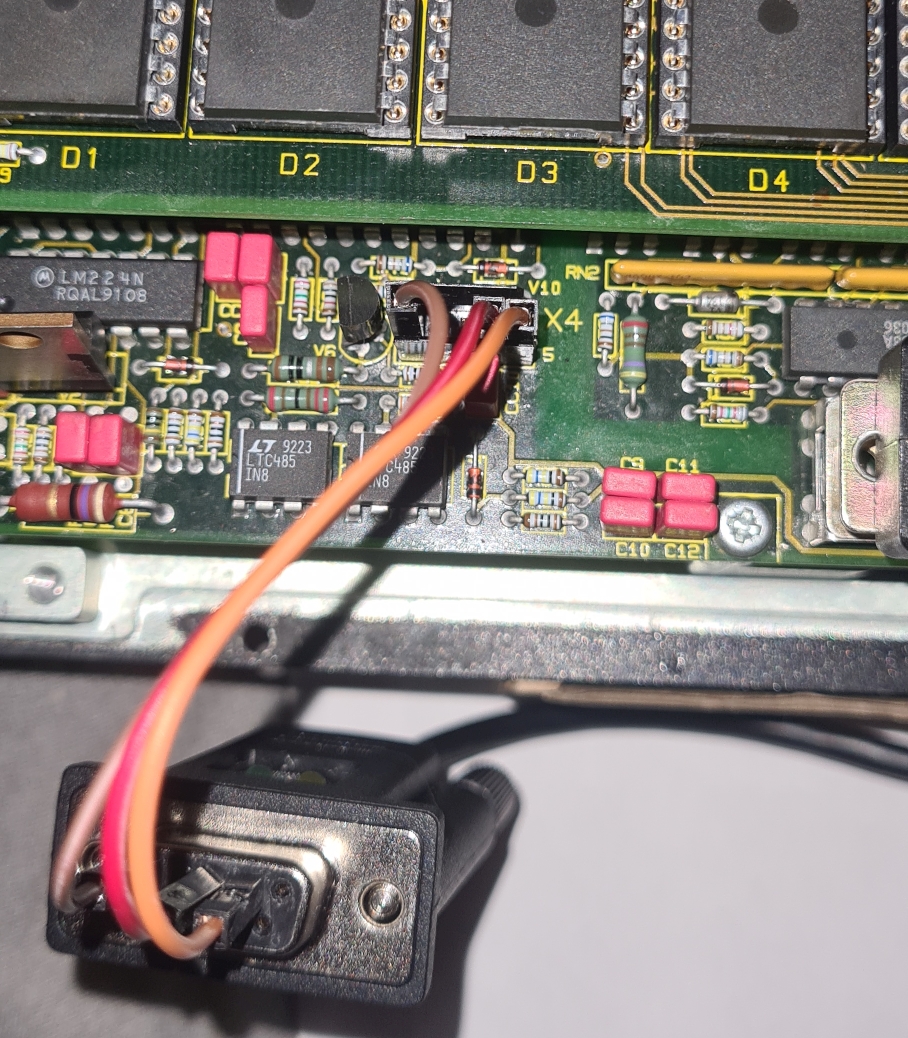
And she‘s alive....
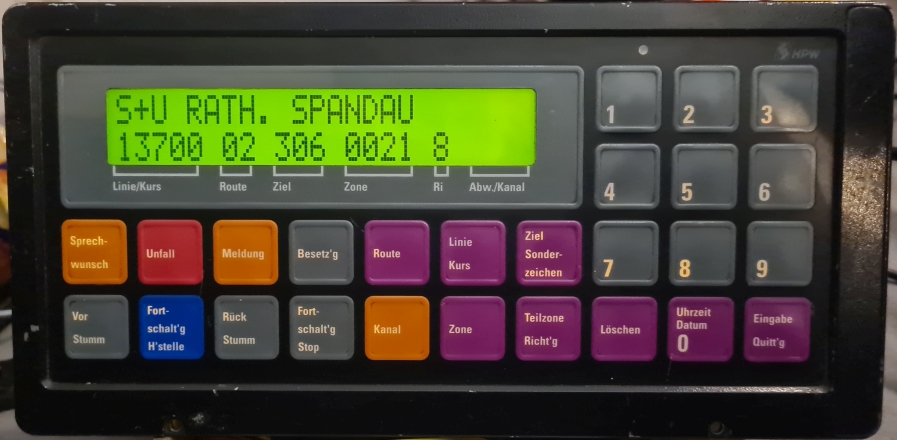
Thankyou so much for your help with getting my ibis back up and running.
Geändert von Gazz292 am 10.Nov.2023 20:25
|
|
| |
Beitragsbewertung:
|
|
|